Moving podiatry patient records from Excel
Plan field mapping, identifiers, attachments and reconciliation before migrating from spreadsheets. Includes a fictional pilot and validation checklist.

Key takeaway
Migration must preserve which information belongs to each person and visit. Inventory files, agree fields, review duplicates and validate a small batch. Patient-management functionality does not establish support for every Excel import.
Decide what information must remain available before choosing a loading method. Keep the source and a transformation record. For historical information, readable archived documents plus agreed structured fields may be more appropriate than transferring every cell. Confirm formats and services with the provider: this guide does not announce a PodoClinix bulk importer.
Example field mapping
| Source | Destination to agree | Validation |
|---|---|---|
| Internal code | Reference identifier. | Preserve leading zeros and avoid merging people. |
| Full name | Name fields. | Review compound names rather than splitting automatically. |
| Visit date | Care date. | Agree format and resolve day/month ambiguity. |
| Document or photograph | Attachment linked to record and visit. | Open and verify association; counting files is not enough. |
The process at a glance
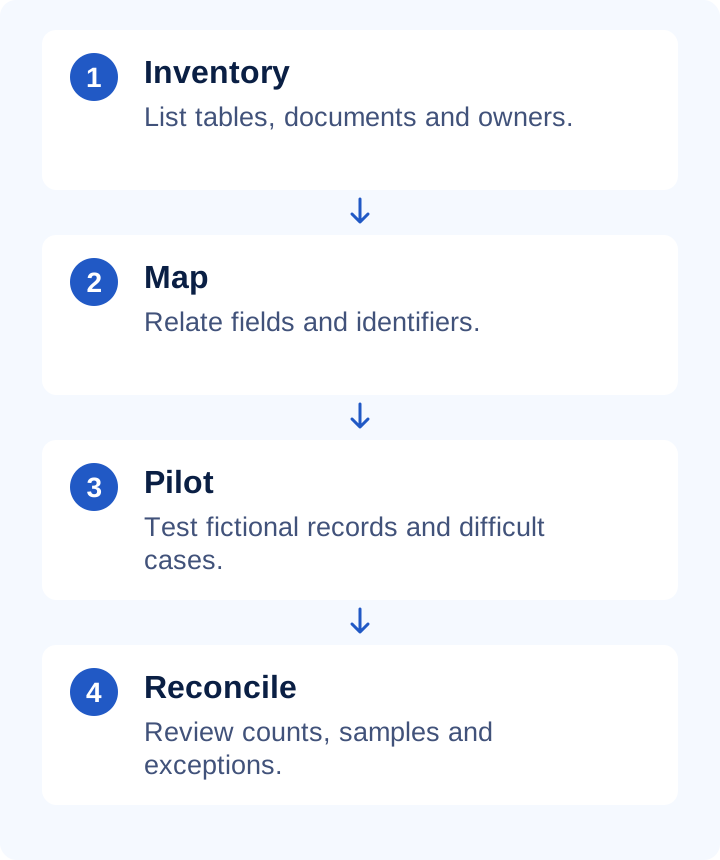
Pilot before the final switch
Create five fictional cases: a compound name, two visits, a code starting with zero, a missing value and an attachment. Follow the provider-supported procedure. Check that identities remain separate, visits are ordered and missing values remain distinct from zero. Resolve issues before increasing batch size.
Practical checklist
- Assign someone to approve field mapping.
- Review duplicate candidates using a documented rule and human judgment.
- Agree whether notes, media, payments and appointments are included.
- Count source, processed, rejected and outstanding records.
- Define the active system during transition to avoid duplicate entry.
What to check in PodoClinix
PodoClinix manages patient records and documentation. Before scheduling migration, confirm how your data can be incorporated, who performs the work and exclusions. Do not upload a real patient database into a sales demonstration or assume a readable CSV can be imported without transformation.
A detail worth reviewing
Reconciliation combines counts and sample review. One hundred output records do not prove they represent the same one hundred people. Check identifiers, dates and attachments; document exclusions and keep the source under appropriate access and retention controls. An export format and an import format can differ even when both use spreadsheets.
Continue with these guides
- Podiatry record backups: test recovery
Check backup scope, restoration and business continuity. Distinguish synchronization, export and backup with a practical fictional-record exercise.
- Podiatry software walkthrough: a complete demo test
Evaluate one fictional patient through notes, foot charts, files, appointments and follow-up. A repeatable demonstration script without real patient data.
- Podiatry and documentation glossary
Check definitions to use terminology consistently.
Sources and scope
- HCPC · Record keeping
Primary reference for the principle identified in this guide. PodoClinix features are described separately from external references.
Examples and checklists are editorial proposals. Adapt the workflow to your practice and local requirements. References are provided for consultation, not as endorsements of PodoClinix.
Frequently asked questions
This guide confirms no automatic importer or specific format compatibility. Check the available process and scope for your dataset before committing to the switch.
Run your podiatry clinic with PodoClinix
Clinical records, scheduling, WhatsApp reminders and 3D foot diagnosis. Start free, no card required.
Start free trial