Podiatry foot diagrams: symbols and colour legends
Make foot-chart observations understandable with laterality, region, colour and text. Includes a working example and an actual PodoClinix screenshot.

Key takeaway
A foot chart visually locates observations. Each point needs side, region, description and its visit context. Explain what colours mean: a colour alone is not a diagnosis.
People searching for podiatry symbols often want a quick way to represent findings. Ambiguity arises when colleagues interpret the same mark differently. This guide proposes an internal documentation legend, not a recognized clinical classification. Retain any formal terminology required by your practice and make its definitions accessible. Do not assign universal clinical meanings to software colours.
Meaning and limits of each element
| Element | Documentation example | Limit |
|---|---|---|
| Side | Left foot. | Do not infer laterality from image orientation. |
| Region | Dorsal region of the first toe, where actually assessed. | An approximate point does not replace anatomical description. |
| Colour | Blue = documentation to review in this internal example. | Not a universal clinical code. |
| Description | Short text stating observation, source and context. | A number or ambiguous abbreviation is insufficient. |
The process at a glance
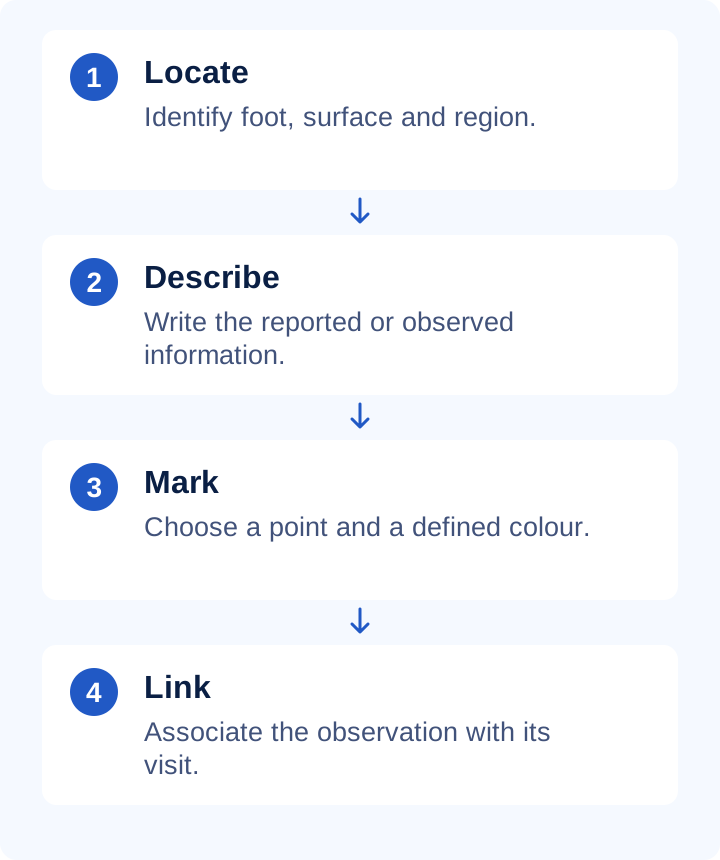
An internal legend, not a diagnostic scale
Fictional example: a practice uses blue for observations awaiting documentation review and purple to link a follow-up photograph. Each mark also has a written reason and visit reference. These colours describe that example's workflow; they do not indicate severity, disease or urgency. Another practice may use a different system if its team can interpret it consistently.
Practical checklist
- State laterality explicitly in text.
- Distinguish front and back views and model orientation.
- Make the legend available to authorized colleagues.
- Always include readable text rather than relying on colour.
- Compare the same region at follow-up and read its associated note.
What to check in PodoClinix
PodoClinix allows points with colour and description on foot images and the 3D model. The screenshot in this guide uses the actual interface and a fictional observation. The model supports location and explanation; it does not independently diagnose conditions or replace appropriate clinical assessment.
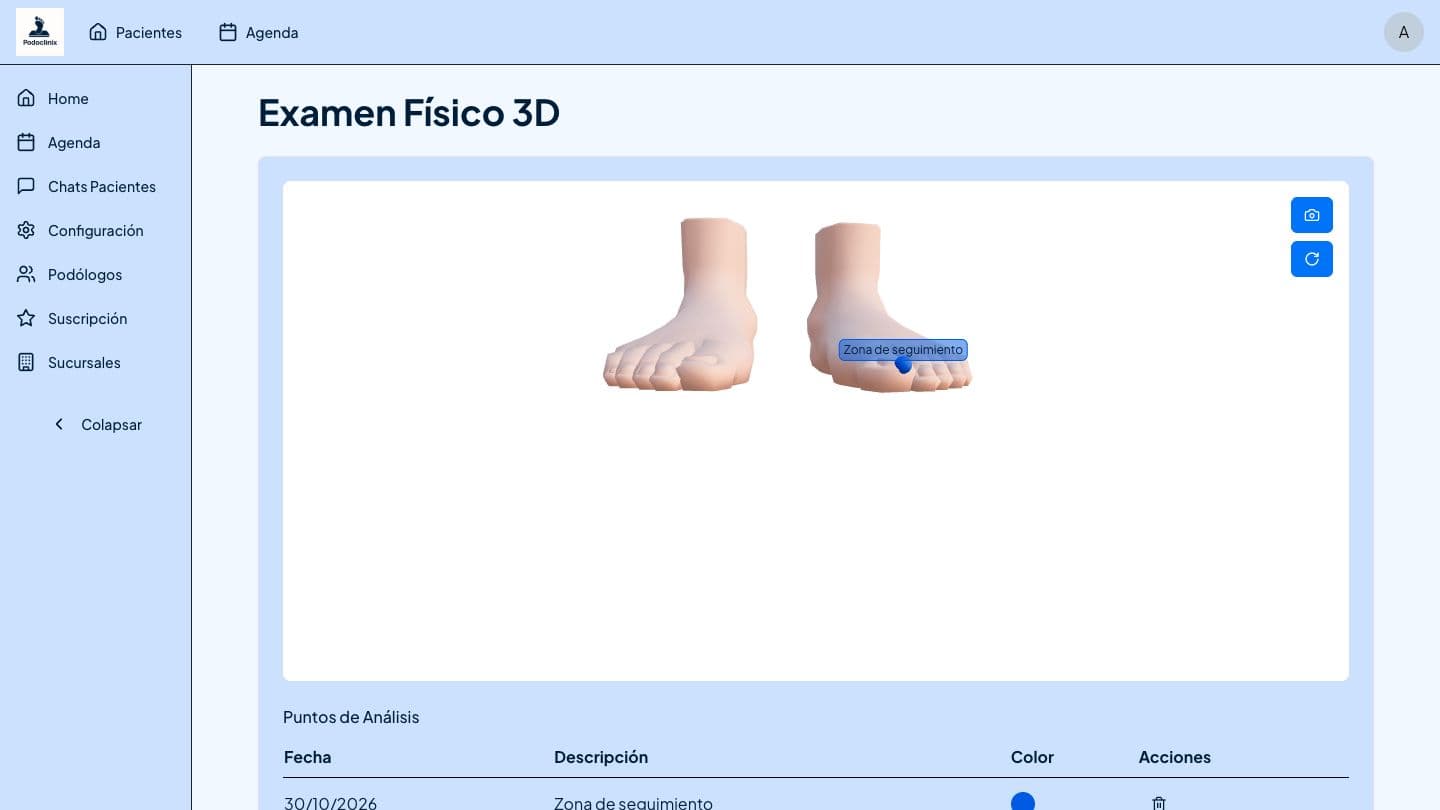
A detail worth reviewing
Rotating a model changes how a point looks. Before finishing, check that its description remains understandable without the screen angle. If the visual reference cannot represent a location precisely, expand the note instead of suggesting more accuracy than the diagram provides. Record-keeping guidance supports clear documentation; it does not validate this proposed legend as a clinical coding standard.
Continue with these guides
- Podiatry software on tablet, phone and desktop
Test notes, foot markers, attachments and appointments across devices. Practical acceptance checks with actual PodoClinix interface captures.
- Podiatry clinical photos: organizing follow-up
Link images and videos to visits with clinical date, region, context and privacy controls. Includes actual PodoClinix patient-file limits.
- Podiatry and documentation glossary
Check definitions to use terminology consistently.
Sources and scope
- HCPC · Record keeping
Primary reference for the principle identified in this guide. PodoClinix features are described separately from external references.
Examples and checklists are editorial proposals. Adapt the workflow to your practice and local requirements. References are provided for consultation, not as endorsements of PodoClinix.
Frequently asked questions
No universal meanings are established by this guide or the PodoClinix colour picker. The professional defines a legend and accompanies it with text.
Run your podiatry clinic with PodoClinix
Clinical records, scheduling, WhatsApp reminders and 3D foot diagnosis. Start free, no card required.
Start free trial