Podiatry software on tablet, phone and desktop
Test notes, foot markers, attachments and appointments across devices. Practical acceptance checks with actual PodoClinix interface captures.

Key takeaway
Test multi-device access through complete tasks. A page opening on a phone does not prove you can comfortably finish a note, place a marker or retrieve an attachment.
Choose a device for the work moment. A desktop may suit extended writing, a tablet may support explanation and a phone may suit a quick lookup. These are possible uses rather than requirements for every practice. Test the browser, screen size and connection you actually use before assigning tasks to each device.
Device-specific acceptance tests
| Device | Test task | Acceptance criterion |
|---|---|---|
| Desktop | Write a note and review two visits. | Text and references remain readable in context. |
| Tablet | Show the foot map and add a fictional observation. | Location, text and save control are reachable. |
| Phone | Open a record and attachment. | Find the content without accidental actions. |
| Shared device | Sign out and change professional. | Each person uses the appropriate access. |
The process at a glance
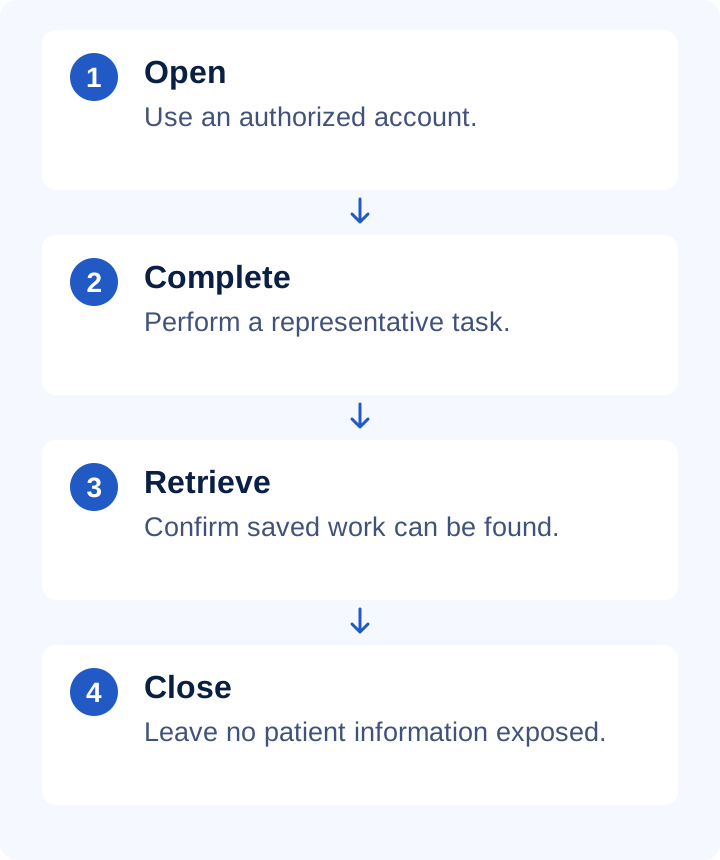
One visit across two screens
Using a fictional record, add an observation on desktop and confirm it is saved. Open the same record on tablet using appropriate access and locate it. Compare side, text and related attachment. Do not assume simultaneous editing is supported: verify the behavior first and avoid concurrent changes to the same content.
Practical checklist
- Check that the on-screen keyboard does not obscure necessary controls.
- Keep table and diagram references understandable while scrolling.
- Test file selection on the intended device.
- Use the practice's actual connection conditions.
- Sign out on shared equipment and protect device access.
What to check in PodoClinix
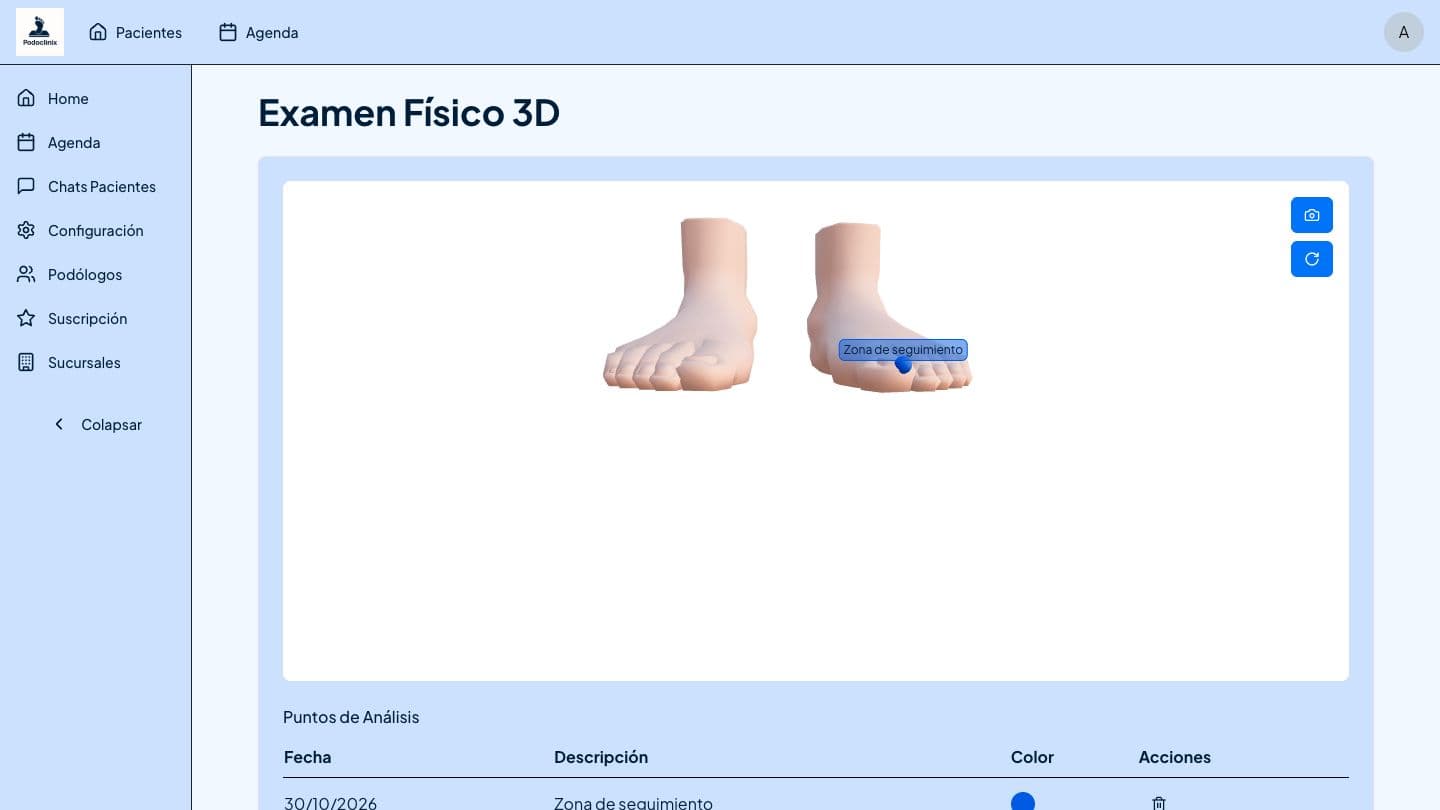
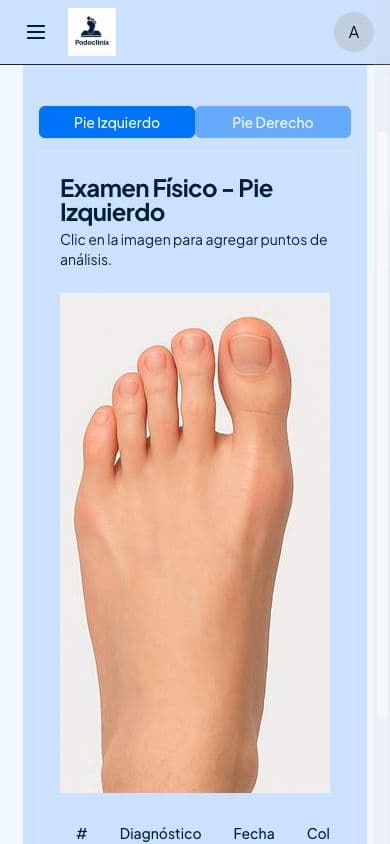
PodoClinix runs in a browser; this guide uses actual interface captures. Foot diagrams retain a coordinate area that can scroll horizontally on narrow screens. Test touch interaction with the 3D reference on your own equipment. This guide does not claim a native application or offline operation.
A detail worth reviewing
A screenshot documents a state, not a complete workflow. Repeat saving and retrieval, test longer notes and decide where a larger screen helps. Convenience should not cause necessary care information to be omitted. Plan how staff will record and reconcile work if connectivity becomes unavailable.
Continue with these guides
- Podiatry software walkthrough: a complete demo test
Evaluate one fictional patient through notes, foot charts, files, appointments and follow-up. A repeatable demonstration script without real patient data.
- Podiatry foot diagrams: symbols and colour legends
Make foot-chart observations understandable with laterality, region, colour and text. Includes a working example and an actual PodoClinix screenshot.
- Podiatry and documentation glossary
Check definitions to use terminology consistently.
Sources and scope
- HCPC · Record keeping
Primary reference for the principle identified in this guide. PodoClinix features are described separately from external references.
Examples and checklists are editorial proposals. Adapt the workflow to your practice and local requirements. References are provided for consultation, not as endorsements of PodoClinix.
Frequently asked questions
This guide offers no offline mode. Plan for connectivity and an interruption procedure.
Run your podiatry clinic with PodoClinix
Clinical records, scheduling, WhatsApp reminders and 3D foot diagnosis. Start free, no card required.
Start free trial